
LUY provides access control for defining and restricting permissions by using roles.
The assignments of roles to users are not managed in LUY. Roles need to be assigned to users via the used Authentication Methods
Key points of LUY and identity management
-
Role names in LUY must exactly match the role/group names in the identity management system, while respecting case sensitivity.
-
If a user is present in multiple groups and these groups are sent from the identity management system, they will be matched to roles in LUY and all the matching roles will be effective for that user. The resulting permissions are a combination from all applicable roles.
-
The only static and uneditable role is "luy_Supervisor". Users with this role assigned (either directly or by hierarchical role) have all privileges in LUY, independent of any other configuration.
The role “luy_Supervisor” must not be deleted.
Permissions summary
When selecting a certain role on the “roles and permissions” page, the effective permissions of this role are shown. Roles in the LUY permission system might hand their settings down to another role. These are called subordinate roles. The resulting access rights based on this hierarchical role structure are displayed as grey checkboxes.
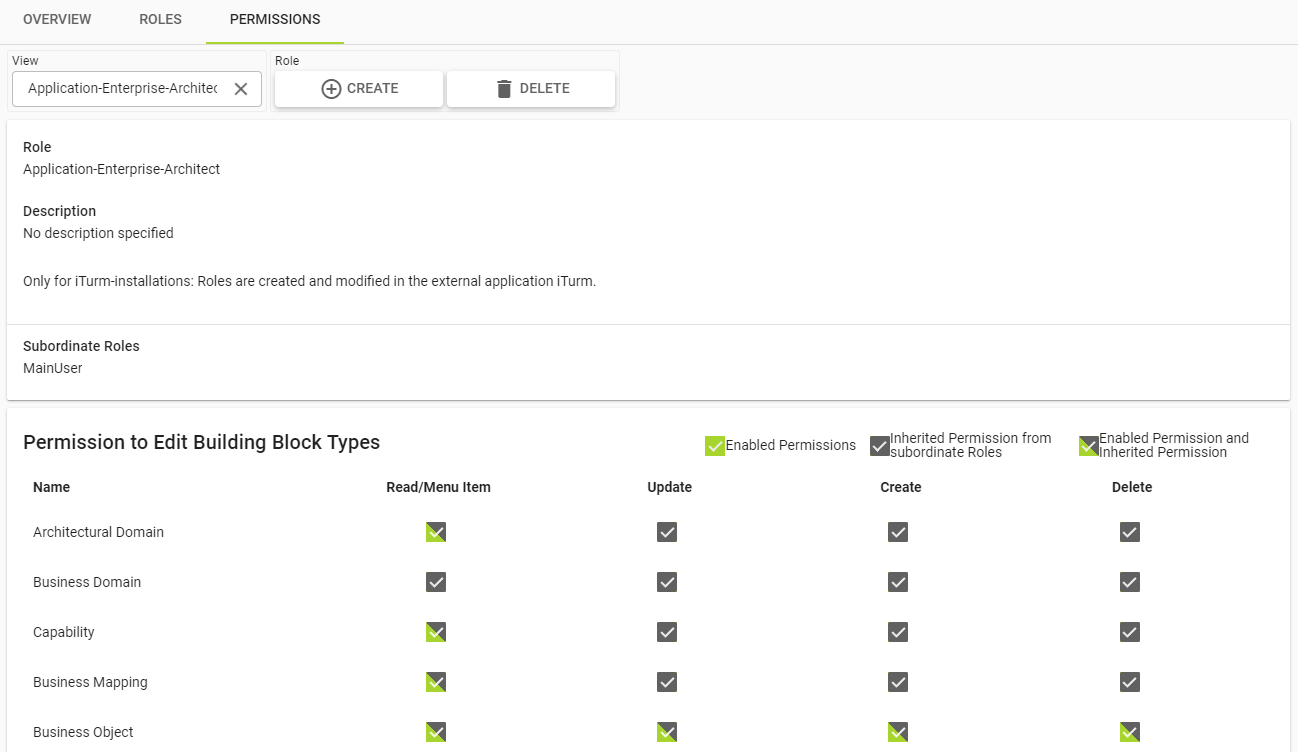
Permissions to view and edit data
The permissions to read, create, update and delete (CRUD) building block types and business mappings can be set with the displayed checkboxes.
-
Read: Users with a role with this permission can view all information about building block types and business mappings. This permission is required to grant further permissions.
-
Update: Users with this permission are able to edit building block types and business mappings.
-
Create: Users with this permission are able to create building block types and business mappings.
The “copy” action is also protected by this permission. -
Delete: Users with this permission are able to delete building block types and business mappings.
Permissions for relations
Permissions for the relations between building block types A and B, are derived from the building block type permissions as follows:
-
If a user has read permissions for A and B, then the user has the permission to view the relations between building blocks of those types.
-
If a user has update, create or delete permissions for either A or B, then the user has the permission to edit the relations between building blocks of those types, meaning updating, adding and removing relations is possible.
Functional permissions
Functional permissions control the visibility of certain tiles on the start screen, as well as the access to specific functions. For a detailed description, expand the following table:
Read and write access for attribute groups
In LUY, it is possible to restrict the read and write permissions for attributes by setting the permission for the whole attribute group. For each group and each role, the access can be set to read-only or read/write.