
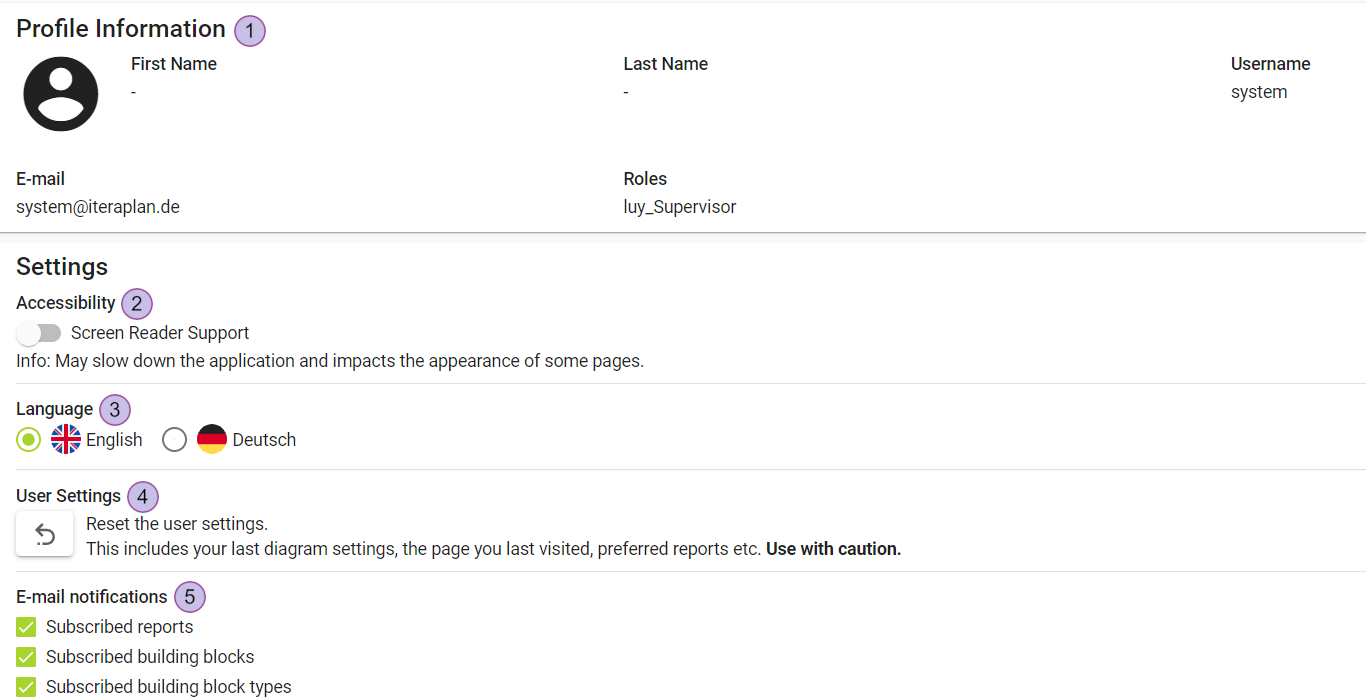
“Profile & settings” shows information for the logged-in user and offers user specific settings.
-
Profile information, like first name, last name, e-mail and roles
-
Activate/deactivate screen reader support
-
Language selection
-
Reset user settings
-
Email notification settings
Accessibility
If the toggle “Screen reader support” is enabled, LUY is optimized for use with screen readers.
This may slow down the application and impact the appearance of some pages.
Language
Change the GUI language if no application-wide language is defined.
User settings
The user settings are saved automatically.
Reset user settings
The reset button (4) resets all saved user settings for the current logged-in user.
This means for each diagram type and for each building block list view type the configuration is set to default state.
Email notifications
Settings for email notifications can be activated/deactivated for the logged in user.
When activated:
-
Notifications on changes to subscribed reports are received
-
Notifications on changes to subscribed building blocks are received
-
Notifications on any change to subscribed elements