
February 2026
The global search in LUY Nova provides a centralized way to locate all types of building block elements across your entire workspace without navigating through multiple views. The search is designed to support intuitive, efficient navigation.
The global search is accessible from the LUY Nova header and supports fast result display, filter options, and logical operators.
Scope of LUY’s global search
Searchable content includes:
-
Element name
Matches display name of the element. -
Description
Matches text in the element's description. -
Attribute values
Includes text, enum, or responsibility attributes (e.g. “Munich”, “John Doe”)
Currently, the global search only covers building block elements.
How to access the global search
To open the global search,
-
Click the search field in the LUY Nova header or press enter
-
The field expands and focuses automatically
-
Enter at least 3 characters to initiate a search
Only elements that a user has permission to view are shown in the results.
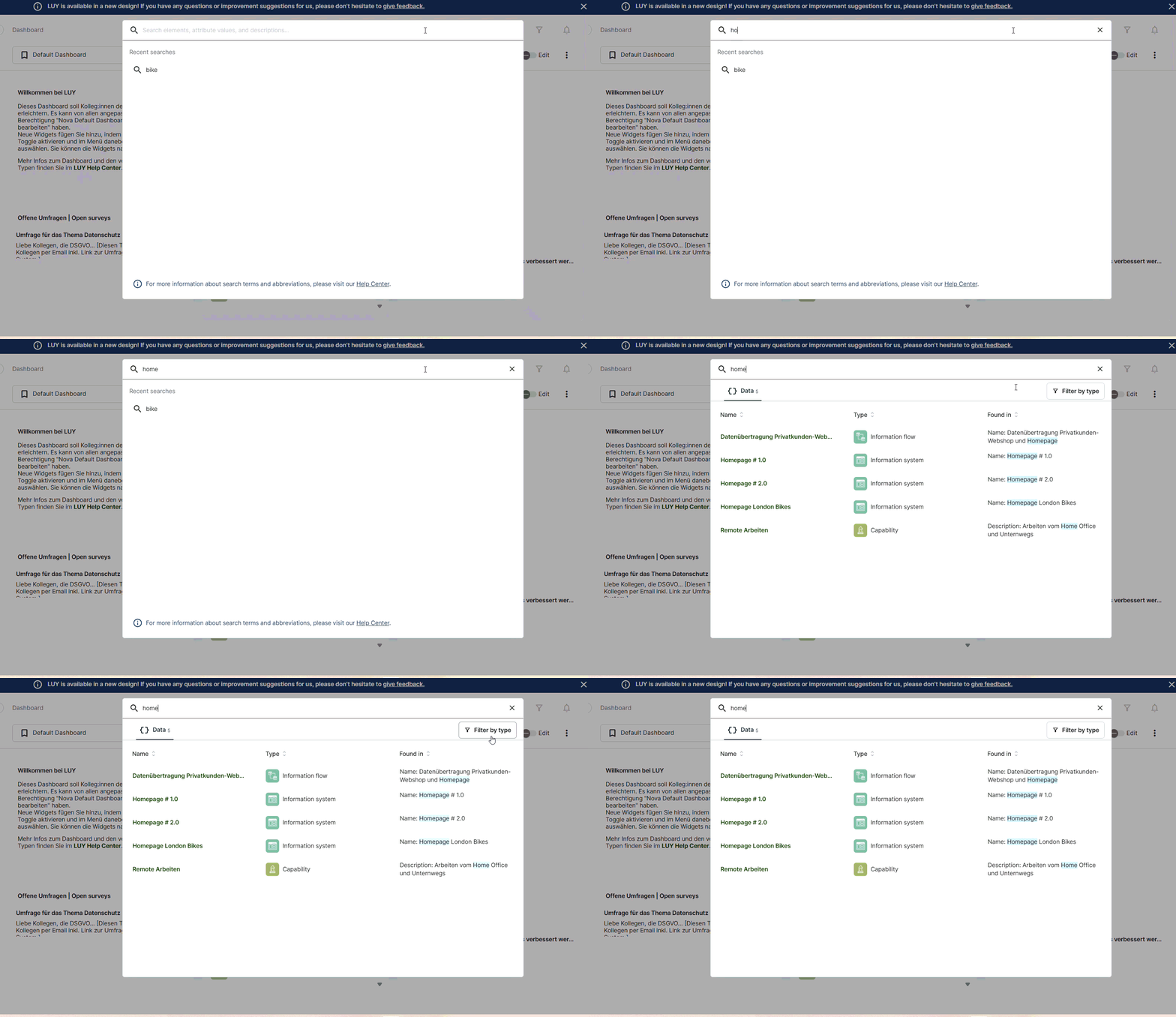
Search syntax
The global search supports partial matches and basic logical operators.
Search input examples:
-
"SAP ERP"→ Exact phrase -
SAP + Munich→ SAP AND Munich -
SAP | Oracle→ SAP OR Oracle
Result ranking
Search results are displayed in order of relevance. The ranking is determined by the underlying search engine and follows this priority:
-
Matches in element name
-
Matches in description
-
Matches in attribute values
A maximum of 100 results is shown per search.
Filtering by building block types
To filter results by building block type:
-
Perform a search.
-
Click “filter by type”.
-
Select one or multiple building block types from the list.
-
Click apply filter to update the result list.
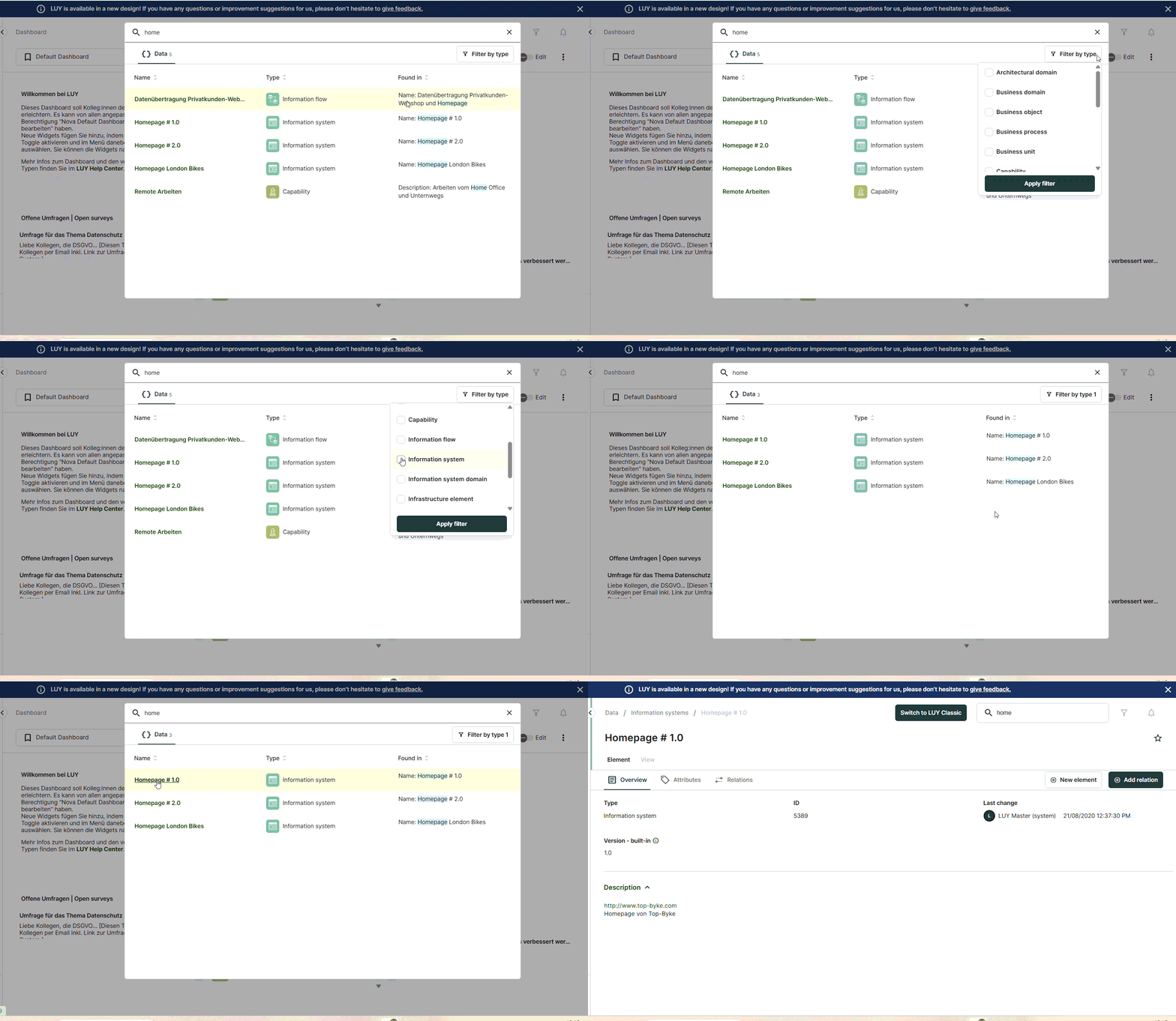
Inline notifications
Context-aware messages are displayed based on the search status:
Keyboard navigation and behavior
The global search supports keyboard-based navigation:
-
Use Enter to open or execute a search.
-
Press ESC to close the overlay.
-
Press Tab to move through filter controls and input fields.
Reopening global search
When reopening global search, the last search terms remains visible.
Updating searchable content
To add or edit searchable content such as names, descriptions, or attribute values, go to the single element view or table view. Changes will be included in search results after saving.
Interaction with global filters
If a global filter is active in LUY, search results are restricted to elements matching the filter criteria. Global filters can be set up in LUY Classic: Global filter.