
March 2026
With this release, we enhance governance and usability within LUY’s table view and filtering experience.
Users can now edit business mappings in the business mapping table view, subscribe/unsubscribe elements directly in the table view, and benefit from improved transparency through newly added search filter badges in the global filter. Together, these updates make data maintenance more efficient, clearer, and easier to manage in daily work.
1. New features
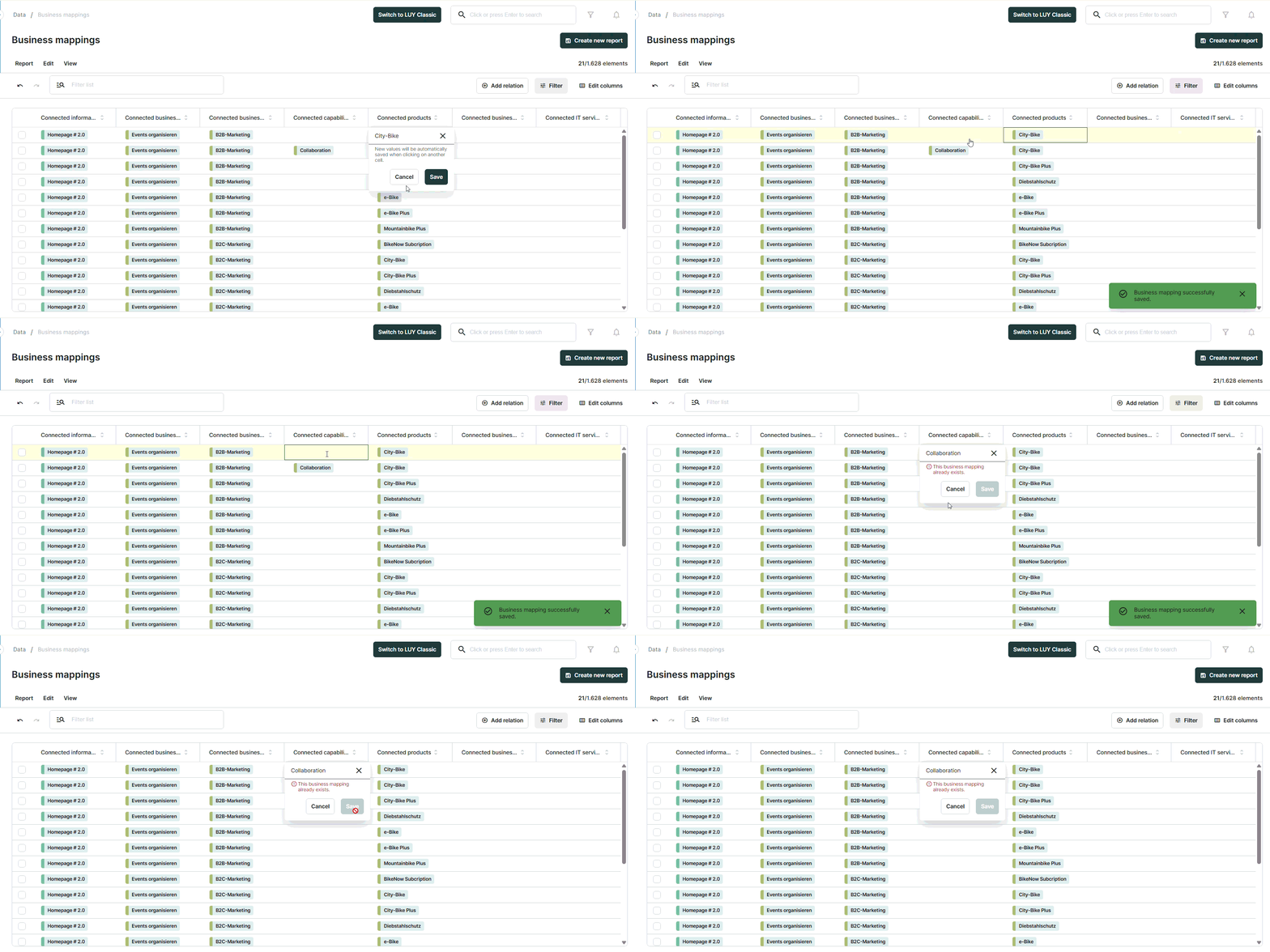
1.1 Edit business mappings in the business mapping table view
Users can now edit existing business mapping relations directly within the business mapping table view, making data maintenance faster and more convenient. Built-in validation ensures data consistency by preventing duplicate mappings and ensuring that each business mapping connects at least two elements. Clear feedback messages guide users if a change does not meet the validation rules.
1.2 Subscribe to elements in table view
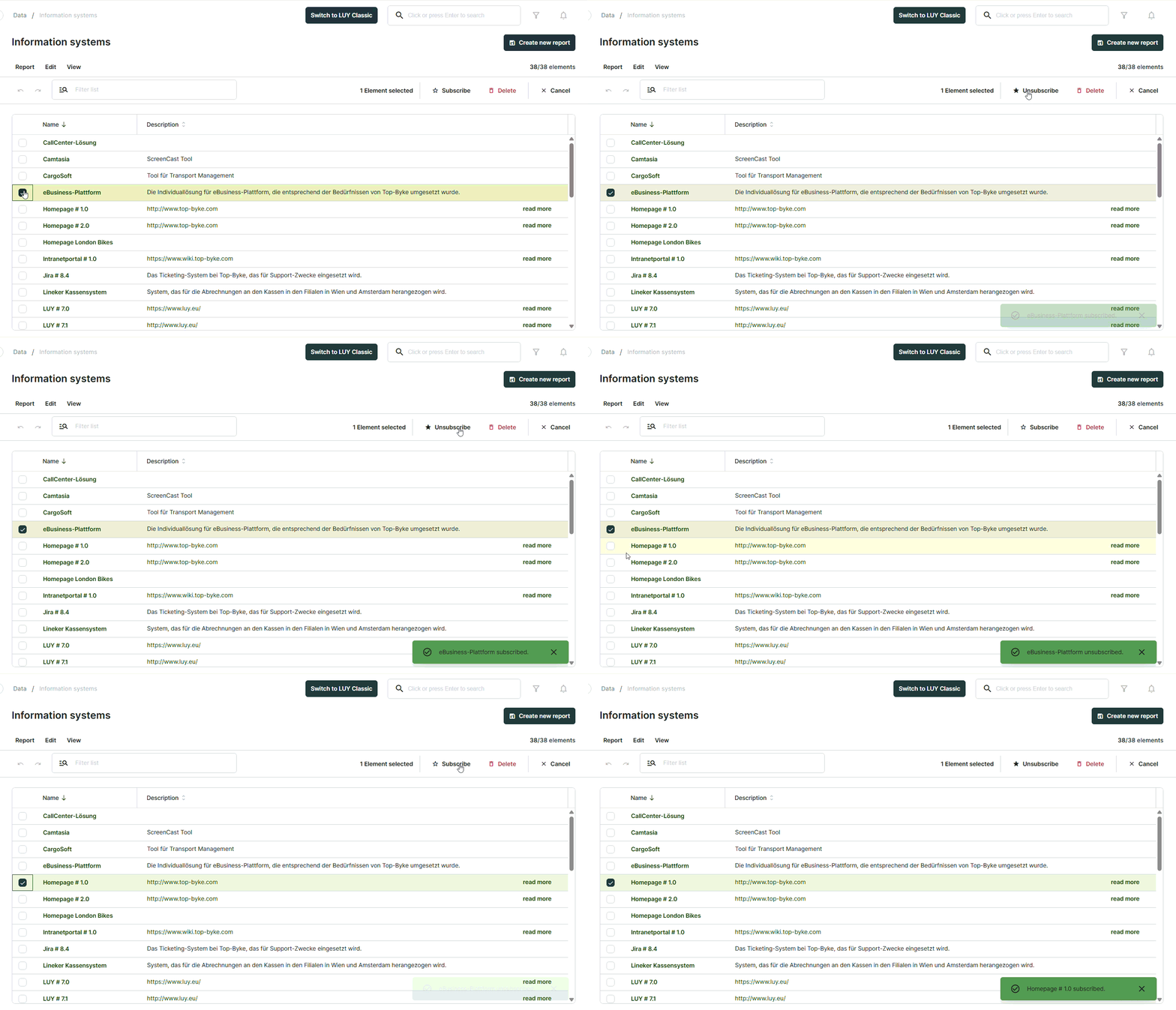
Users can now subscribe or unsubscribe to individual elements directly in table view via the edit toolbar. After selecting a single element using the checkbox, a star icon indicates the current subscription status and allows users to subscribe or unsubscribe with one click. A confirmation toast message provides immediate visual feedback, ensuring full transparency for both actions.
2. Improvements
-
Added building block type filter badges above search results to clearly display active filters and allow quick removal for improved transparency and usability.
-
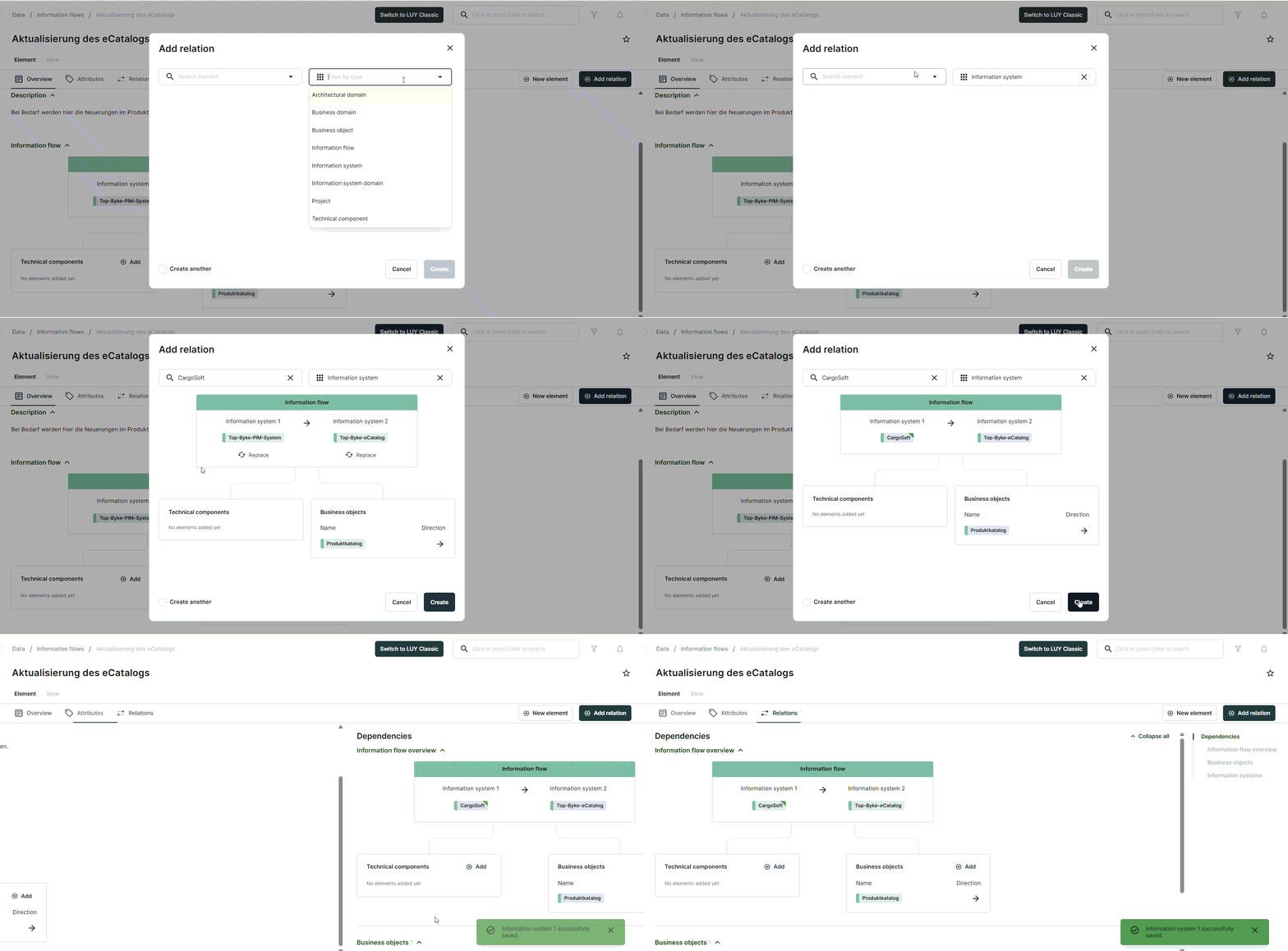
Added visual markers to highlight newly created or edited relations between information flows and information systems, making recent changes immediately visible in the add-relation dialog and in the single element view relation tables.
-
Improved wording for business object transport direction to better align with information flow terminology and ensure clearer interpretation.
3. Bug fixes
-
Fixed an issue where reports which could not be accessed were not greyed in the all reports list.
-
Fixed an issue in table view where multiple elements appeared selected at the same time, although actions were only applied to one element.
-
Fixed an issue where in some cases responsibility attributes could not be deleted when the “include all users” toggle is enabled.
-
Fixed an issue with erroneous tooltips in the share report dialog.