
January 2026
With the January release, LUY continues to enhance usability and clarity in LUY Nova, now all types of elements and relations can be created and deleted in LUY Nova. With richer interaction options in both the single element view and table view, as well as expanded language support, this update streamlines your architecture work with greater precision and transparency.
1. New features
1.1 Create information flow elements
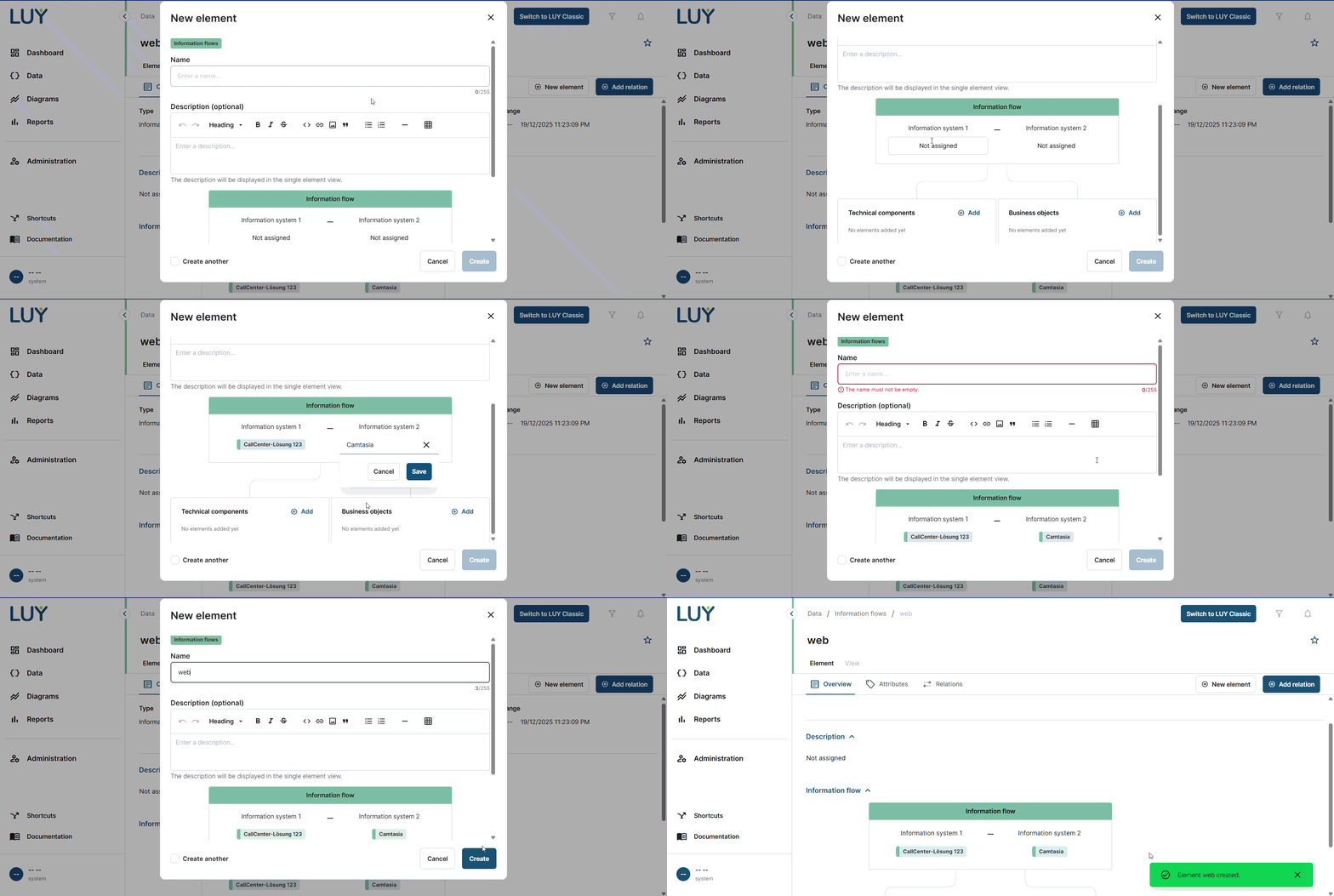
Users with create and update rights for information flows can now create new information flow elements directly in the single element view. The “New element” button opens a dialog with the fields for name, description, and the information flow diagram.
The diagram is pre-filled with default values, where both systems are unassigned by default. Information systems can be directly added to the diagram during the element creation process.
1.2 Add a new relation to an element of the same building block type (self relations)
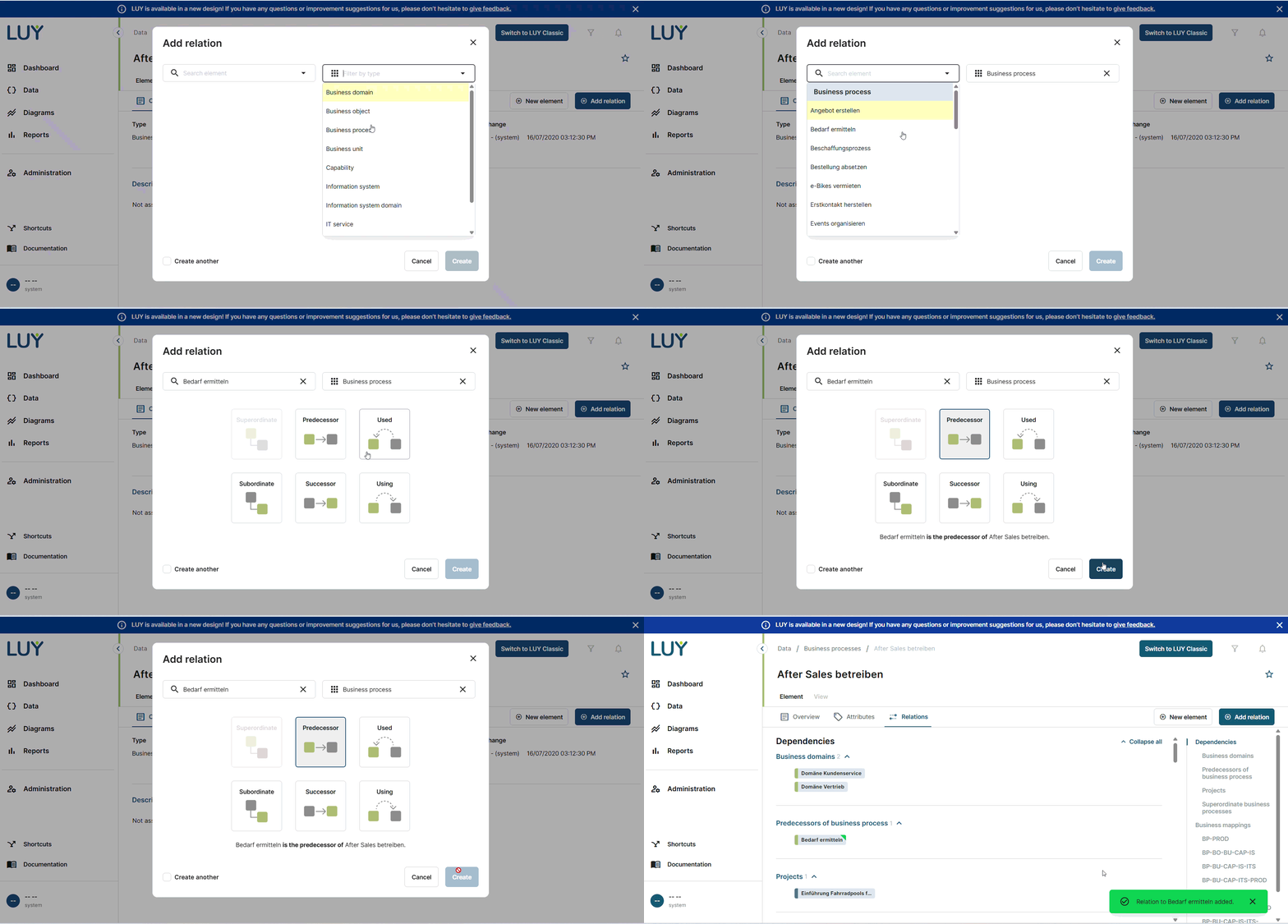
Users can now create relations between elements of the same building block type in the single element view.
When selecting an element, the system dynamically displays available relation types with enabled or disabled buttons based on validity. Tooltips explain disabled options such as existing relations, cyclic dependencies, or unique parent restrictions.
Once a valid relation is selected, the save button becomes active.
1.3 Add relations from business objects to information flows (and vice versa)
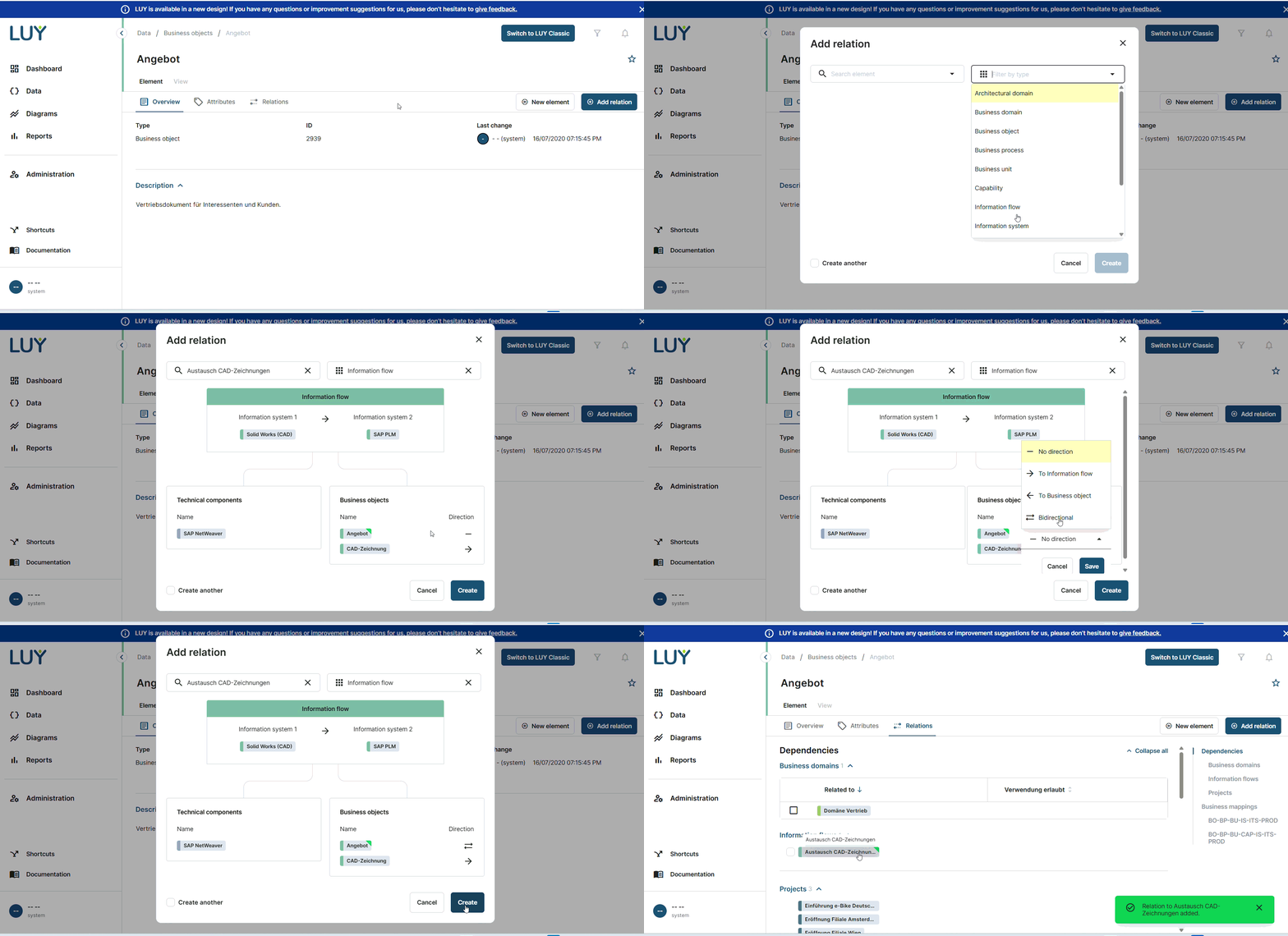
Users with edit rights for either business objects or an information flows can now create relations between these two types directly in the single element view. When opening the “Add relation” dialog and selecting the required information system, the information flow overview is rendered with the business object displayed as a badge, inserted alphabetically.
Only the direction of the new relation can be changed; all other values are fixed. The same applies when creating a relation from an information flow to a business object.
1.4 Add relations from technical components to information flows (and vice versa)
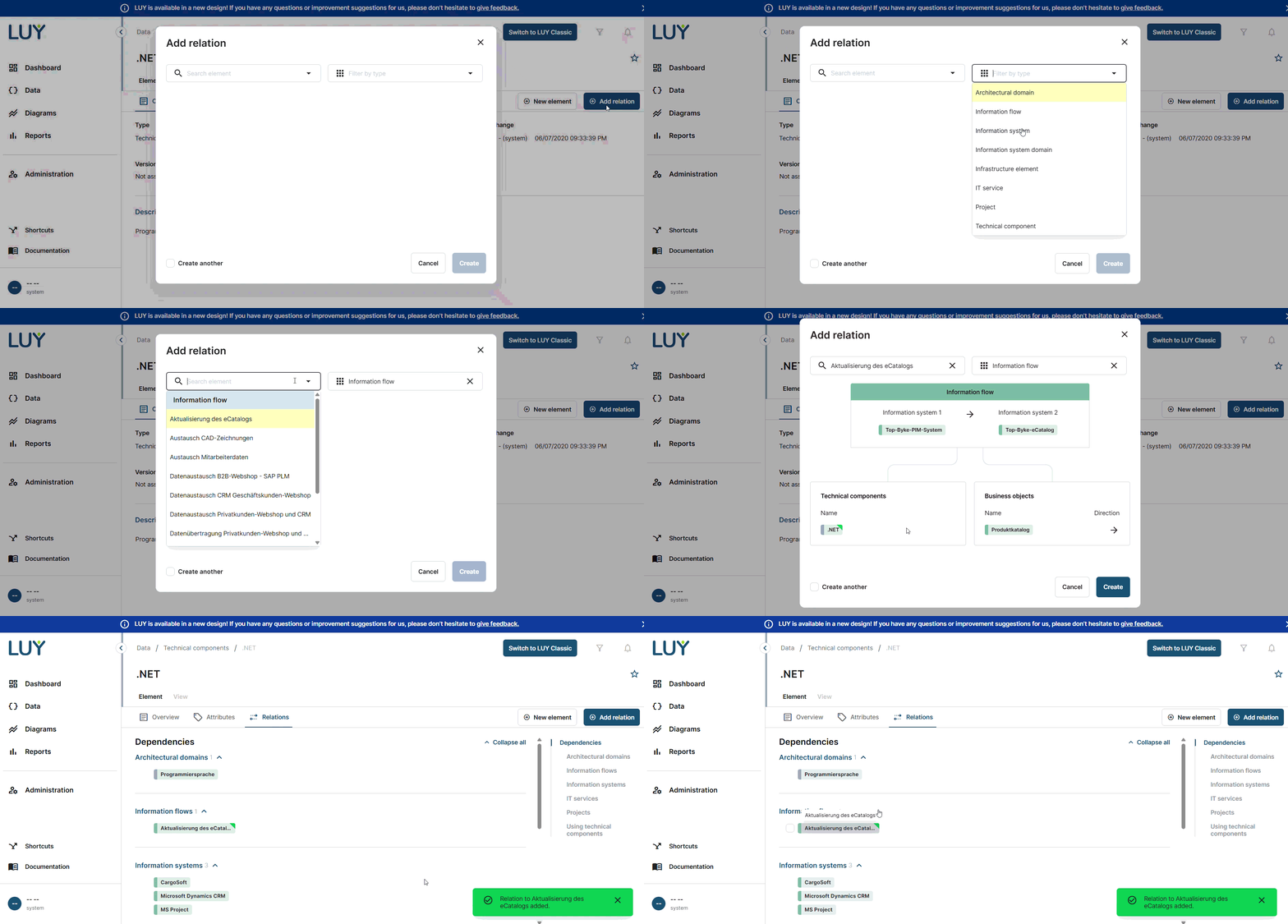
You can now directly create relations between technical components and information flows from within the single element view.
When adding a relation, the corresponding information flow overview is rendered and the selected element appears in the appropriate section. This works both ways from technical component to information flow and vice versa.
1.5 Delete relations without attributes in the single element view
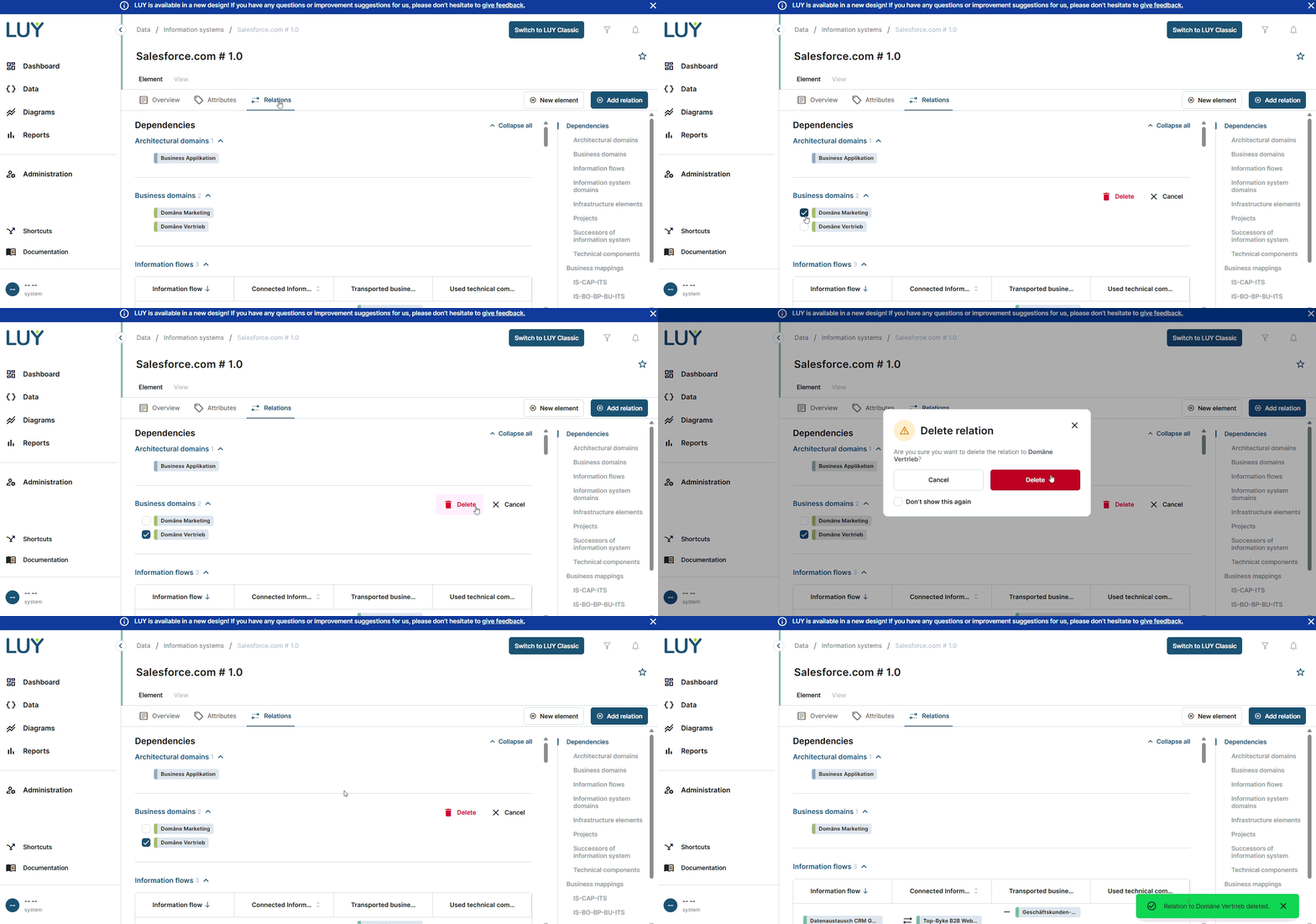
Users with edit rights can now delete relations that do not contain attributes directly in the single element view. With this update, any relation can be deleted in Nova’s single element view.
When hovering over a relation badge, a checkbox appears. Selecting it shows a delete and cancel button on the same line as the section headline. Only one checkbox per section can be active at a time. A confirmation modal follows, with an option to suppress it in future actions. Upon confirmation, the relation is removed and the section updates dynamically.
1.6 Create business mapping relations in the table view
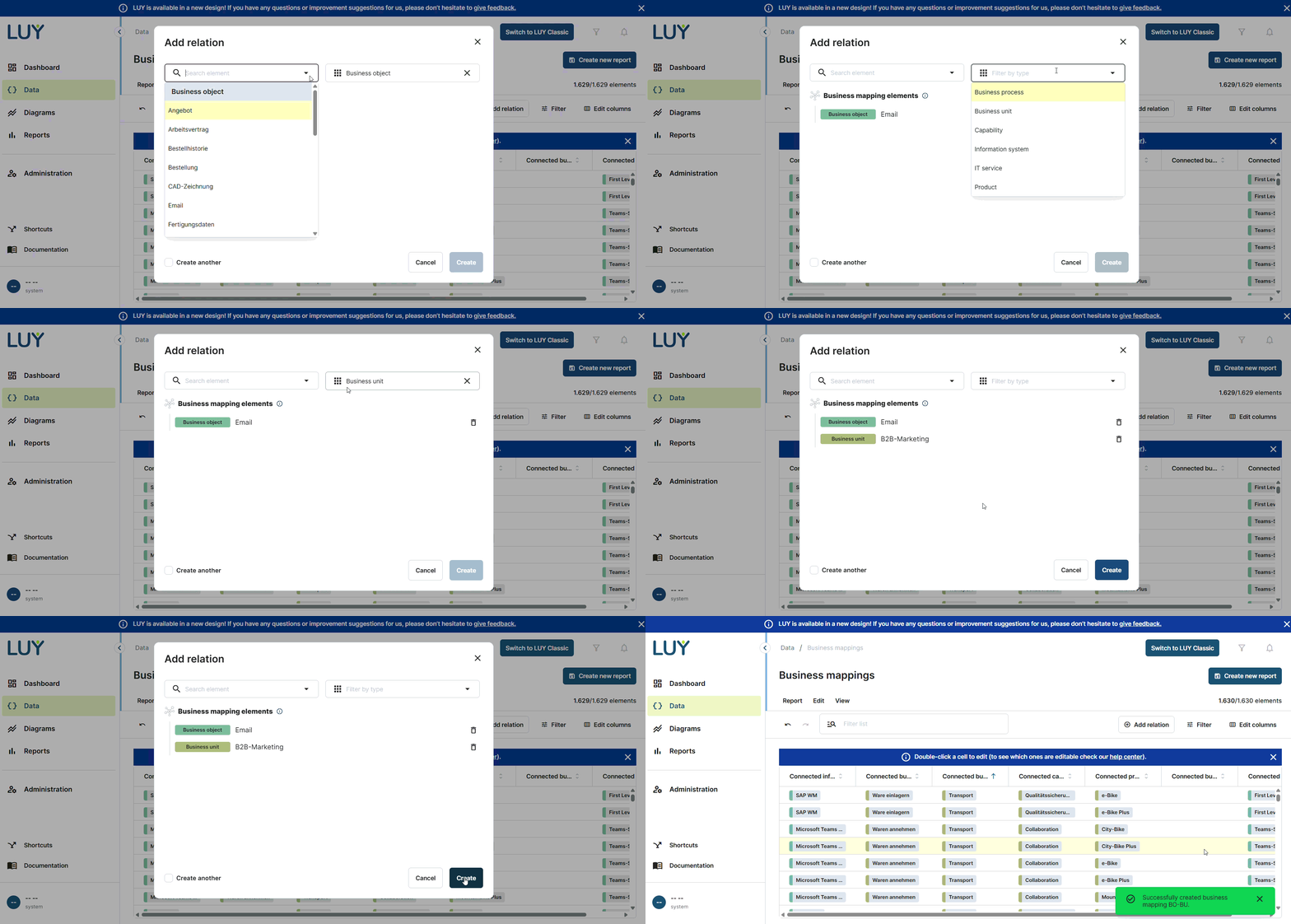
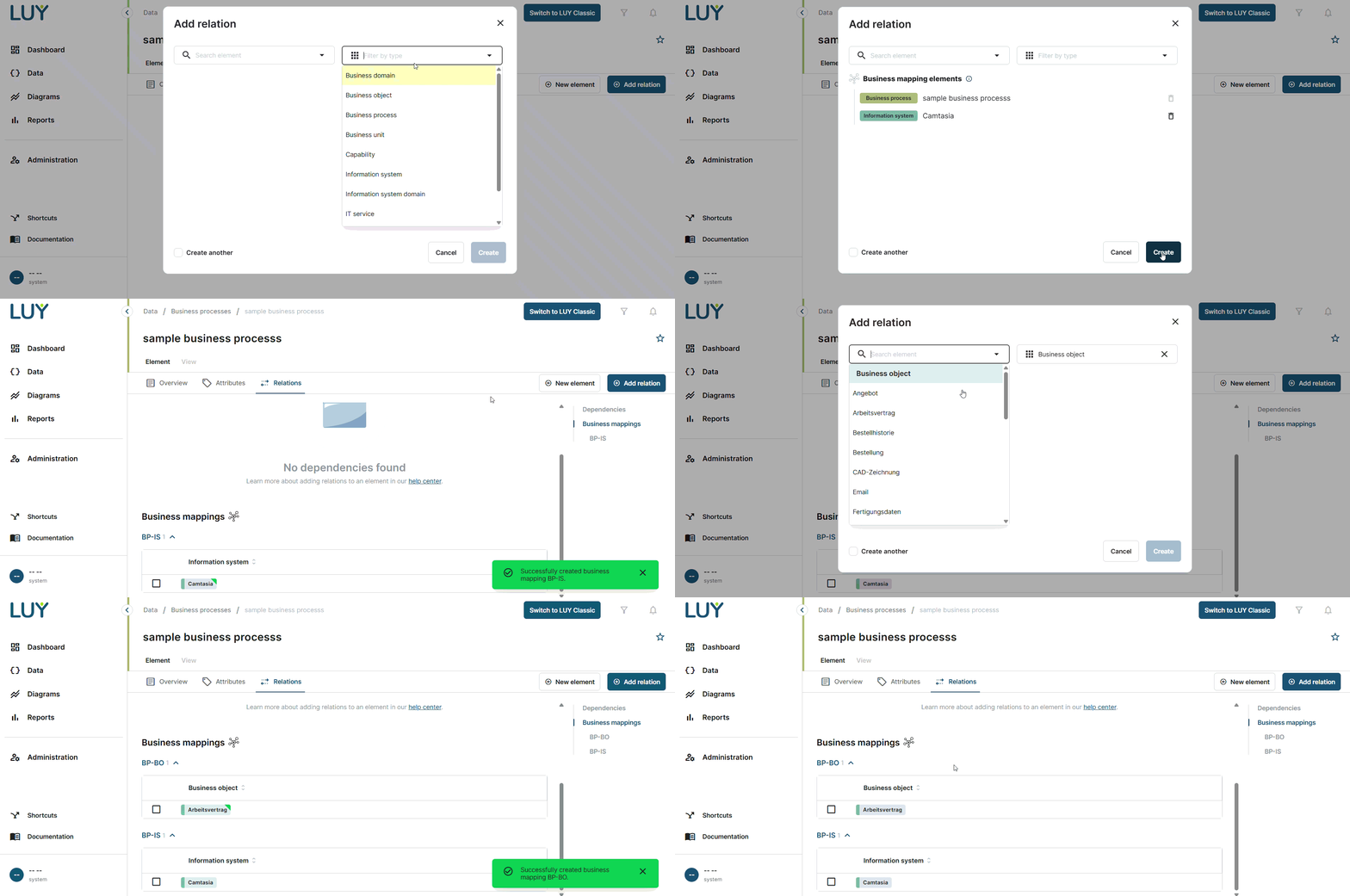
The “Add relation” button is now available directly in the table view.
Clicking it opens the add relation dialog, allowing users to create new business mappings. Elements can be added or removed freely, and the list is sorted chronologically, with the first selected item appearing at the top.
Duplicate mappings cannot be created, and all other functionality is consistent with the experience in the single element view. Once created, business mappings appear immediately in the table view.
1.7 Delete elements directly in the table view
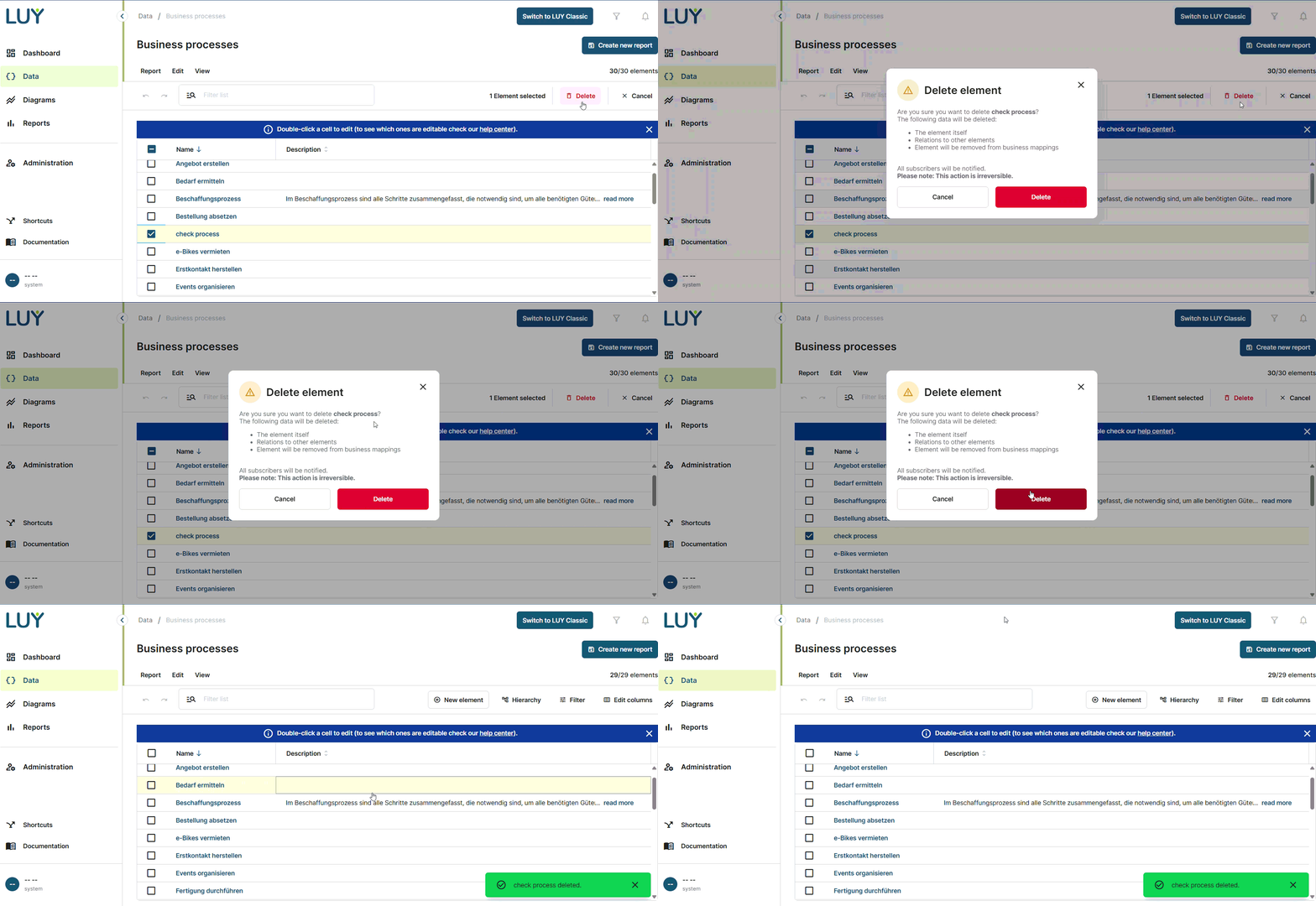
Users with the delete permissions can now delete elements directly from the table view using a new edit toolbar. When a row is selected via checkbox, the toolbar updates to show the number of selected elements, along with option to delete or cancel the selection. Clicking delete opens a confirmation modal that informs users of the consequences.
1.8 French language now available (beta)
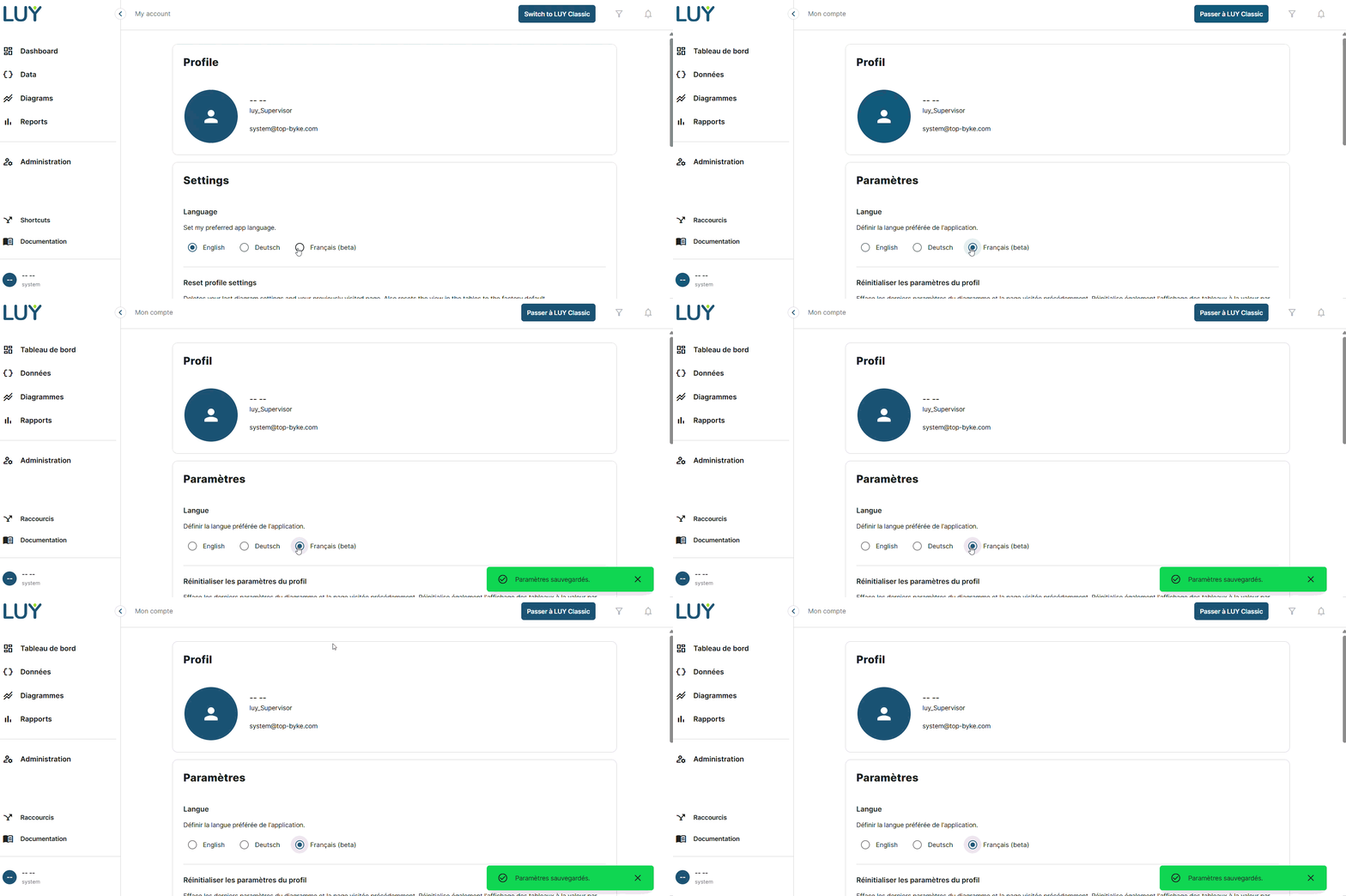
LUY Nova is now available in French as a beta feature. Users can switch their language preference in the profile settings, where French now appears alongside German and English. Some hardcoded strings may still appear in English or German and will be addressed in future updates. This beta version enables French-speaking users to begin working in their preferred language while full support is being finalized. When switching from LUY Nova to LUY Classic while French is selected, LUY Classic will automatically use English as the selected language.
While French is only available in beta mode, the admin cannot enforce it in administration > customization > default language, but needs to select “selection by users” to enable single users to select French in their profile settings.
2. Improvements
-
Newly created relations in the single element view are now marked with a temporary visual ribbon on the relation badge, making them easier to spot and double-check. This visual marker disappears after refreshing or navigating away from the view.
3. Bug fixes
-
Fixed an issue where business mappings were incorrectly displayed in the single element view when only one element was visible due to restricted permissions.
-
Fixed an issue where an incomplete error message was shown in the toast notification when attempting to rename an element to an existing name in the SEV. The full message is now displayed correctly.