
February 2026
With this release, we are introducing the new LUY global search in LUY Nova. The completely redesigned search experience helps you find applications, business processes, infrastructure components, and more faster and more intuitively than ever. The new interface supports basic filters, inline tips, and performance feedback, providing a modern, user-friendly way to explore your LUY data.
1. New features
1.1 Global search in LUY Nova
This release marks the first major rollout of LUY’s unified global search. The global search in LUY Nova enables you to find elements across your entire workspace. The search is designed to support intuitive, efficient navigation.
The global search is accessible directly from the LUY Nova header and is optimized for fast results, clear filtering, and flexible usage, whether you're just starting out or managing complex data landscapes.
This redesigned experience allows you to:
-
Search by element name, description, and attribute values
-
Apply filters by building block type
-
Use recent searches and benefit from a responsive layout
-
See context-aware notifications when limits are reached or no results are found
-
View relevance-ranked results with inline highlights
This is the first milestone in a broader initiative to unify and modernize LUY’s search capabilities. Additional features (e.g., user and report search, sorting, expert filters) will follow in upcoming releases.
See ourGlobal search in the Help Center to learn more about how to use the new search and make the most of its features.
2. Improvements
2.1 Display relations as badges in the table view
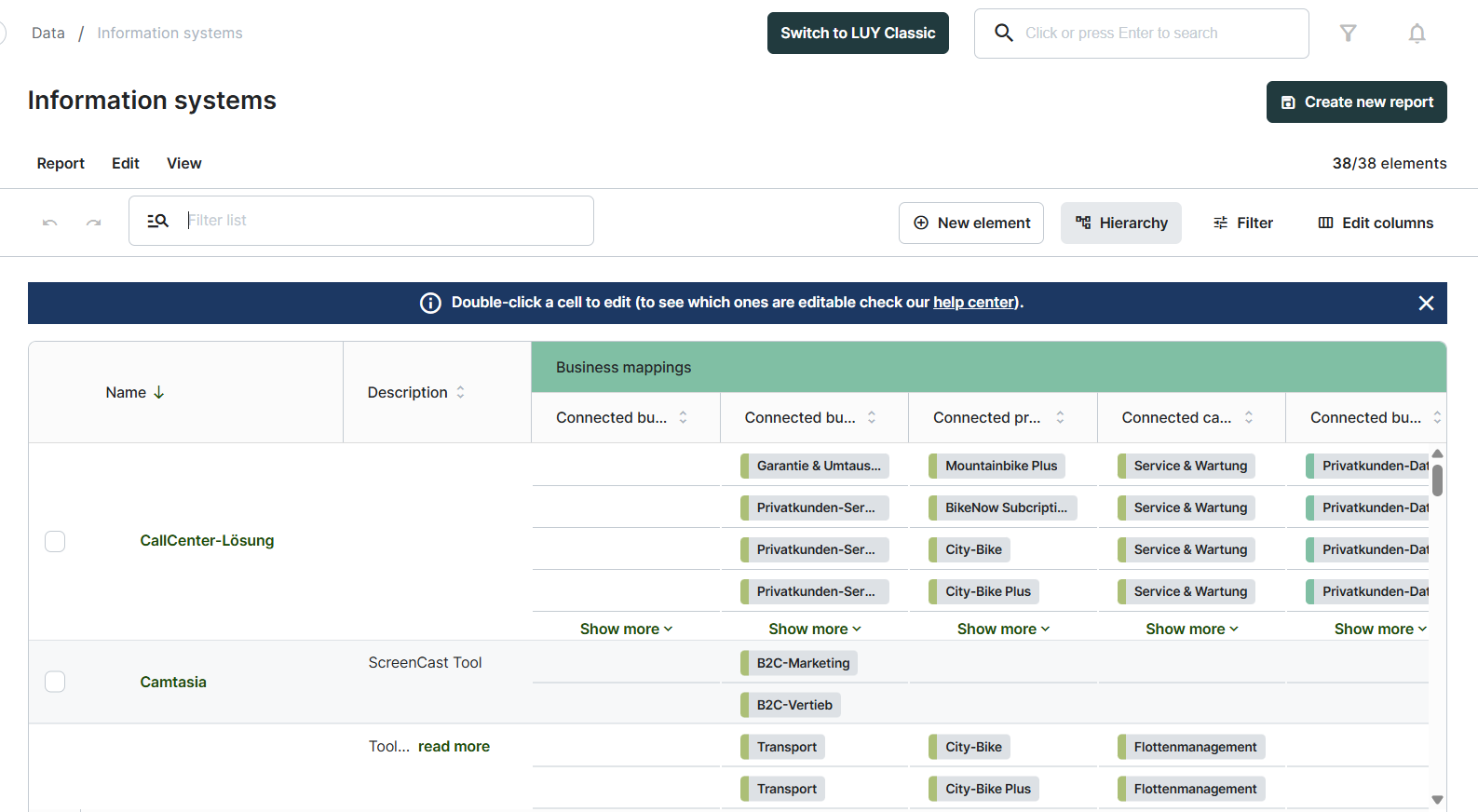
Relation columns in the table view are now displayed as clean, color-coded badges instead of underlined links. This visual update improves readability and aligns the table view with the single element view (SEV) layout.
3. Bug fixes
-
Fixed a bug in the business mapping (table view) add relation dialog where an element removed from the dropdown could not be added back.
-
Fixed an issue where users’ default table view no longer persisted when navigating between different building block types.
-
Fixed an issue in the reports list where greying out reports that cannot be accessed didn’t work correctly.
-
Fixed incorrect tooltip behavior in table reports over the save button for administrators when viewing reports that were not shared with them.