
December 2025
With the December release, LUY continues enhancing the single element view to simplify daily modeling activities. You can now build more meaningful relations with better context, enjoy improved editing for business mappings, and take advantage of a unified, more intuitive experience in the dependencies section.
1. New features
1.1 Add relations from information systems to information flows
You can now create relations from an information system to an information flow directly in the single element view. When adding a relation, users can view and manipulate the information flow diagram to assign information system 1 or information system 2 and save changes with immediate feedback. This enables more accurate representation of dependencies across systems and flows.
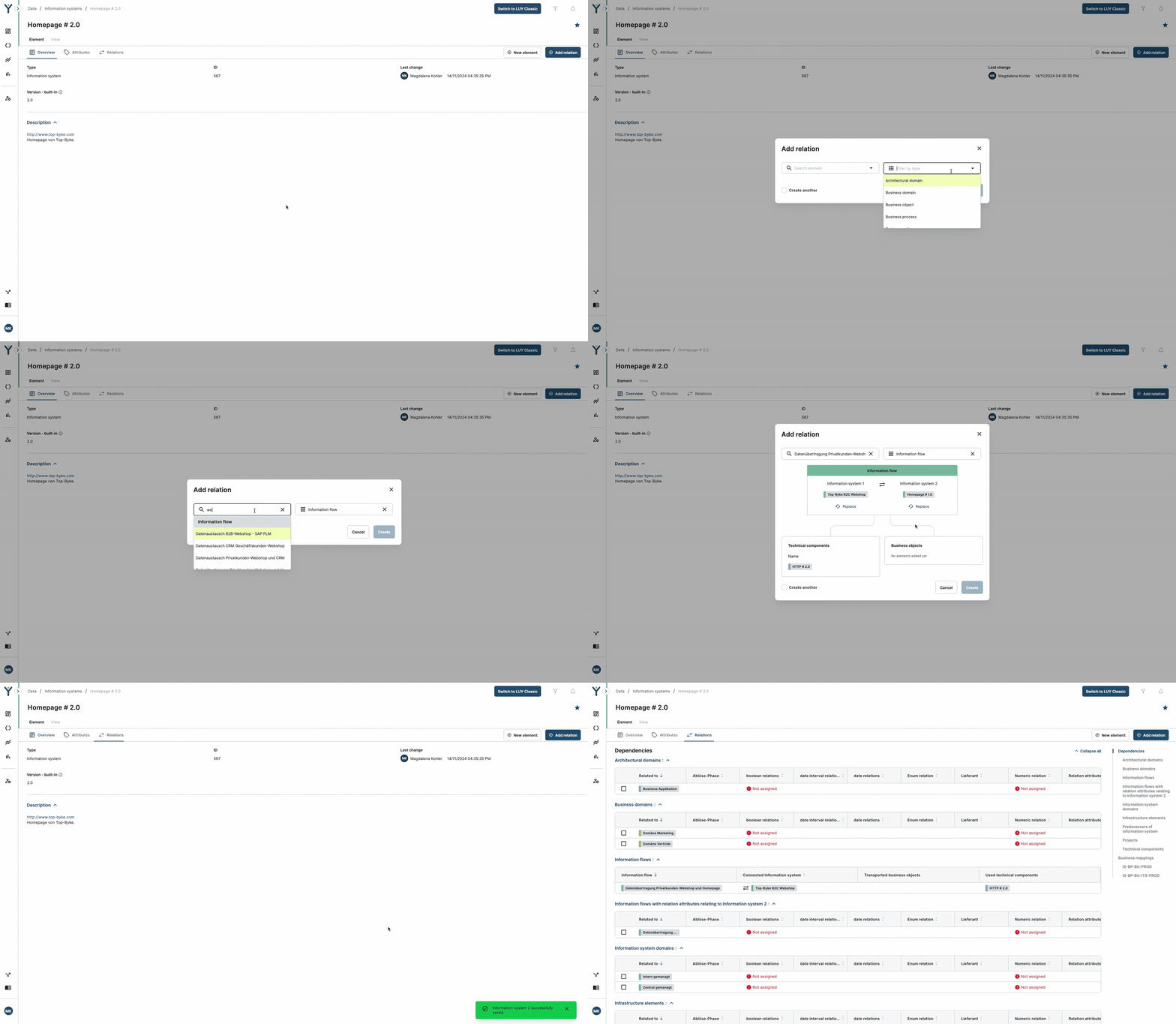
Relations to elements of the same building block type cannot yet be added and will become available in our upcoming January 2026 release.
1.2 Create business mapping relations in the single element view
We’ve extended the relation dialog to support the creation of business mapping relations across supported building block types. The dialog dynamically adjusts depending on selected elements, ensures only valid combinations are possible, and enforces limits to prevent invalid setups, ensuring that duplicates are avoided and only meaningful mappings are saved. Once created, business mappings appear immediately in the relations tab.
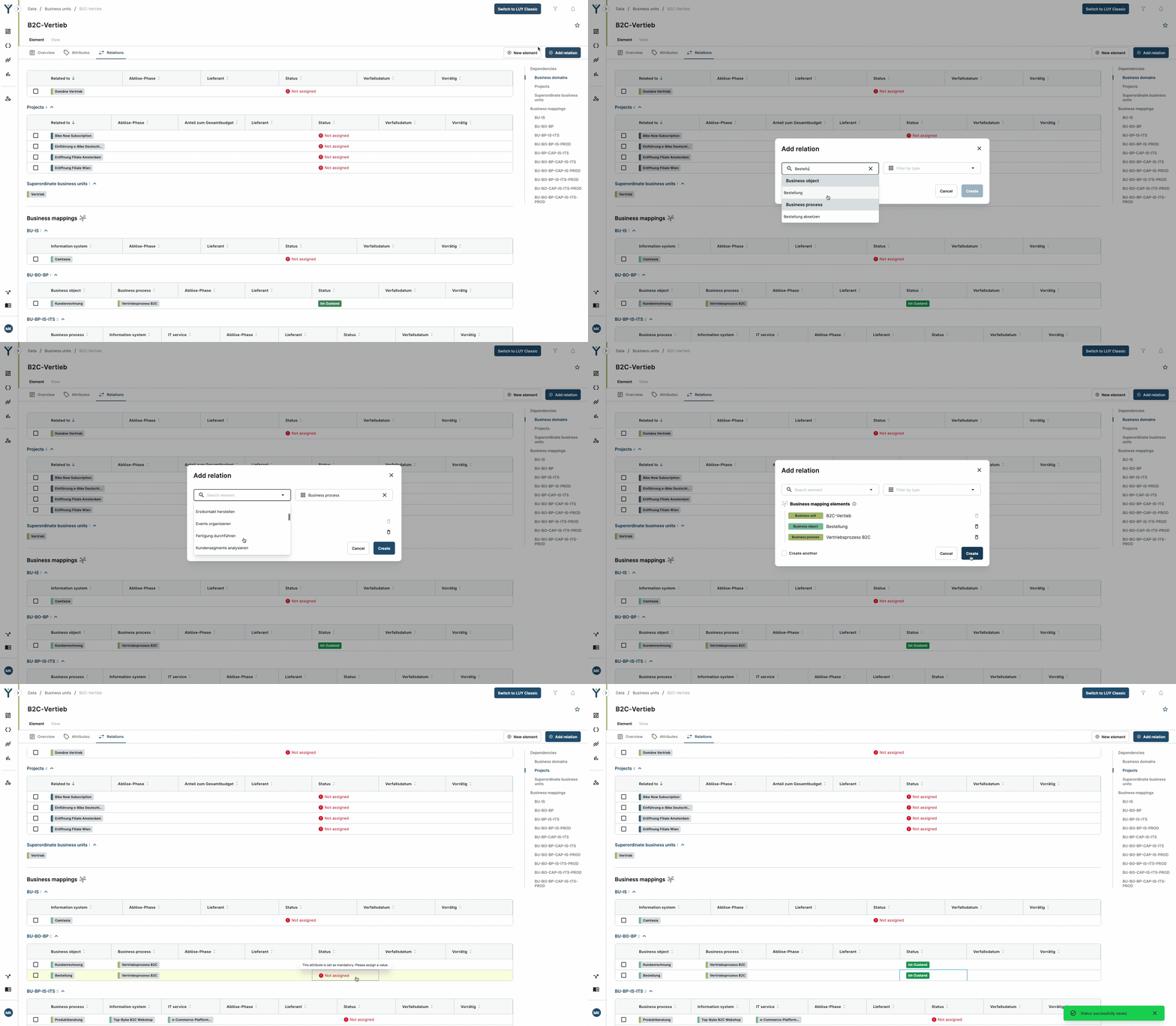
1.3 Edit business mappings directly in the relations tab
Business mappings in the single element view can now be edited inline in the relations tab. Users with the appropriate permissions can click to edit a mapping, search for valid replacements, and save changes instantly. A built-in validation prevents saving mappings that already exist and gives clear feedback in case of errors. This update streamlines maintenance of complex mappings and improves modeling consistency.
1.4 Delete relations with attributes in the single element view
Users can now delete relations that contain attributes (including business mappings) directly in the relations tab of the single element view. When a relation is selected, a delete button appears, and the user is asked for confirmation (with the option to disable the modal for future actions). Upon confirmation, the relation is removed, the section updates dynamically, and success or error toasts provide immediate feedback. This supports more efficient data cleanup and improved model quality.
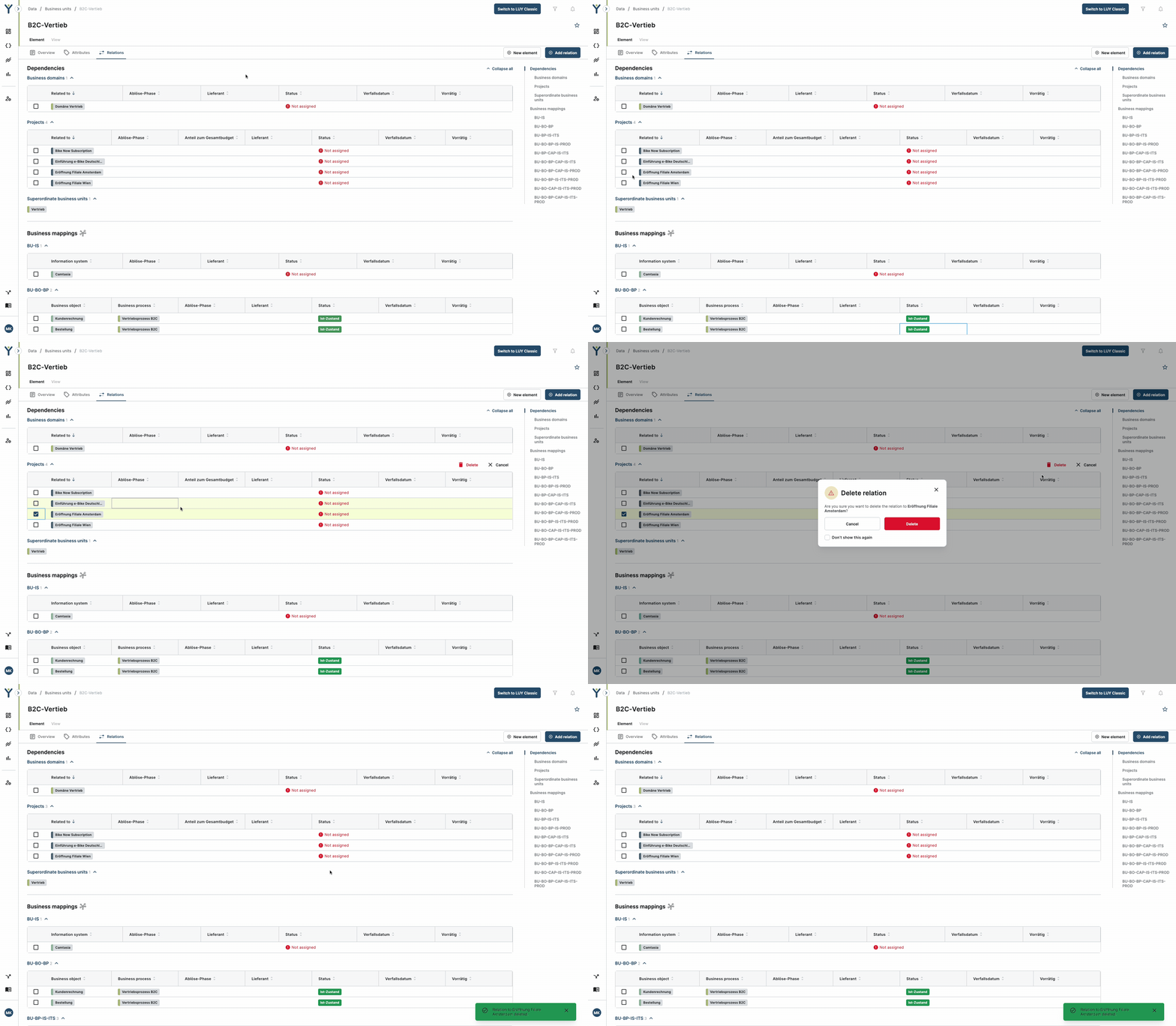
Deleting relations without additional relation attributes will work in a similar way and will be possible with our upcoming January 2026 release.
2. Limitations
-
Self-relations (relations from an element to itself) cannot yet be created in the new dialog. This feature is planned for the upcoming release.
-
The ability to delete relations without attributes will be delivered in the upcoming release.
-
Deleting multiple relations at once is not yet supported. For now, relations must be deleted one at a time.